The menu-bar app for sharing code

Put your code behind glass.

Vitrine turns code, URLs, and HTML into gorgeous, share-ready images — copy, press ⇧⌘S, paste. Instant, and fully local.

Latest release · macOS 14+ · free & open source · your code never leaves your Mac

The style bench

One snippet. Every look.

Pick a gradient and a theme — the same code, restyled live. In the app these are saved presets, applied the instant you press the hotkey.

Counter.swift
import SwiftUI

struct Counter {
  private(set) var value = 0

  mutating func increment(by step: Int = 1) {
    value += step
  }
}

Background preset

Theme

Language

13 themes, 160+ languages, gradient & image backgrounds, focus mode, and diff coloring ship in the app.

In the editor

Fine-tune when you want to.

The hotkey covers the common case. Open the editor for everything else — captured from the real build.

A studio for one image.

Code on the left, the preview floating in ambient light at the center, the style inspector on the right. Theme, font, padding, window chrome, background — every control one click away.

13 themesDeveloper fontsGradient & imageFocus mode
The Vitrine editor: code pane, preview on its ambient-light stage, and the style inspector

Mark it up before you ship it.

A CleanShot-style palette built in: arrows, boxes, text, a highlighter, blur and redaction, and numbered counters — drawn straight on the live preview.

Arrows & boxesBlur / redactCounters
A snapshot marked up with a numbered counter, a rectangle, a blur box, and an arrow

Diffs that read like GitHub.

Paste a unified diff and Vitrine bands added lines green and removed lines red, with line numbers — perfect for PR write-ups and release notes.

Unified diffLine numbers160+ languages
A unified diff with added lines banded green and removed lines banded red
The loop

Three moves, muscle memory.

01

Copy

Select code anywhere — your editor, a terminal, a webpage — and copy it as you always would.

C
02

Press the hotkey

Vitrine reads the clipboard, detects code, a URL, or HTML, and renders with your saved style.

S
03

Paste the image

A retina PNG lands on your clipboard. Paste it into your doc, PR, chat, or slide.

V
And

The details that matter.

Private by design

Fully local and sandboxed — no account, no network by default, no telemetry. Your code never leaves your Mac.

Export & share

Retina PNG/PDF to clipboard, file, or Share Sheet. OpenGraph, Story, and GitHub-banner presets, plus a vitrine CLI.

Web snapshots

Render pasted HTML, or capture a webpage at one or more sizes — entirely locally in WebKit, with a first-use privacy disclosure.

Terminal

Even full-screen TUIs.

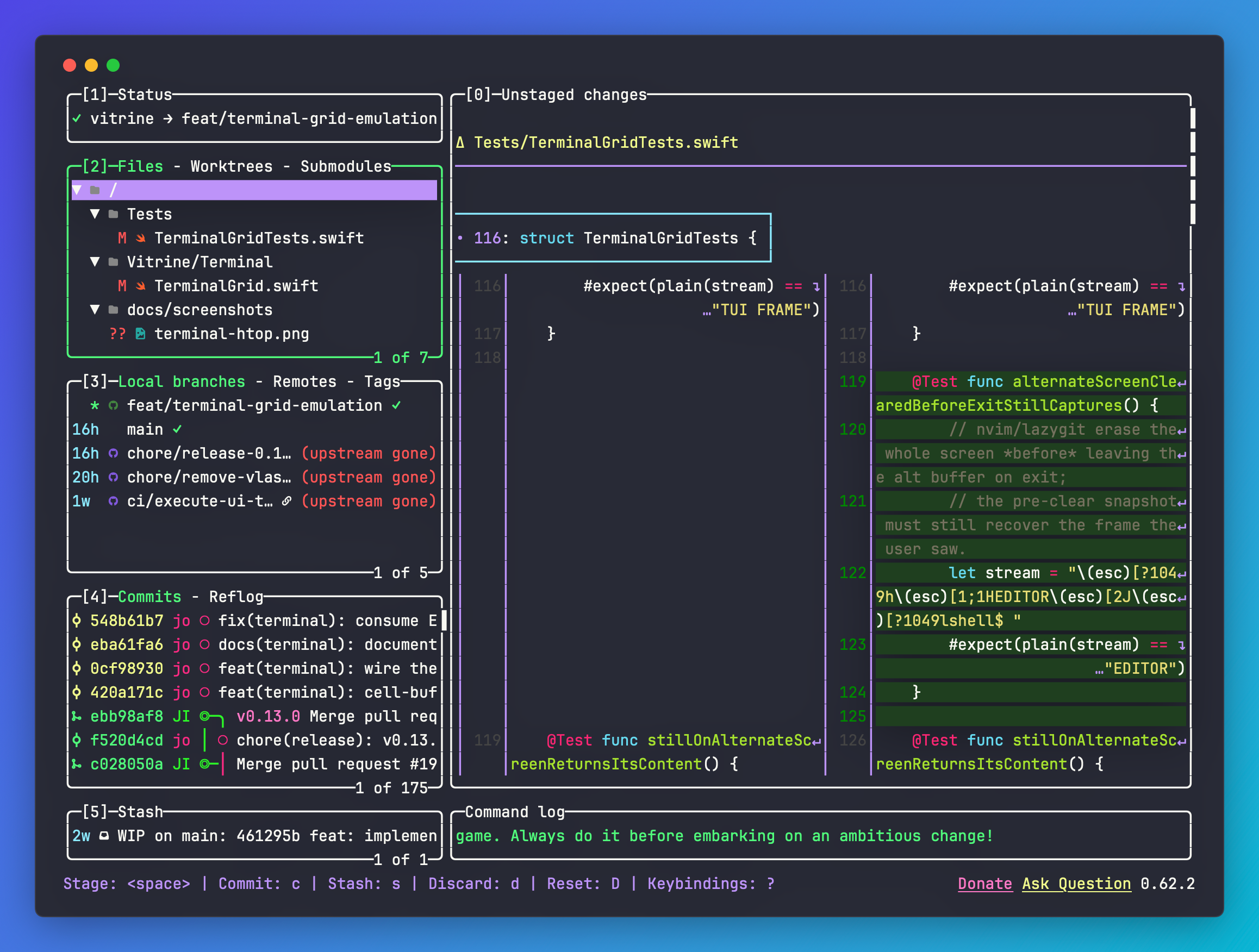
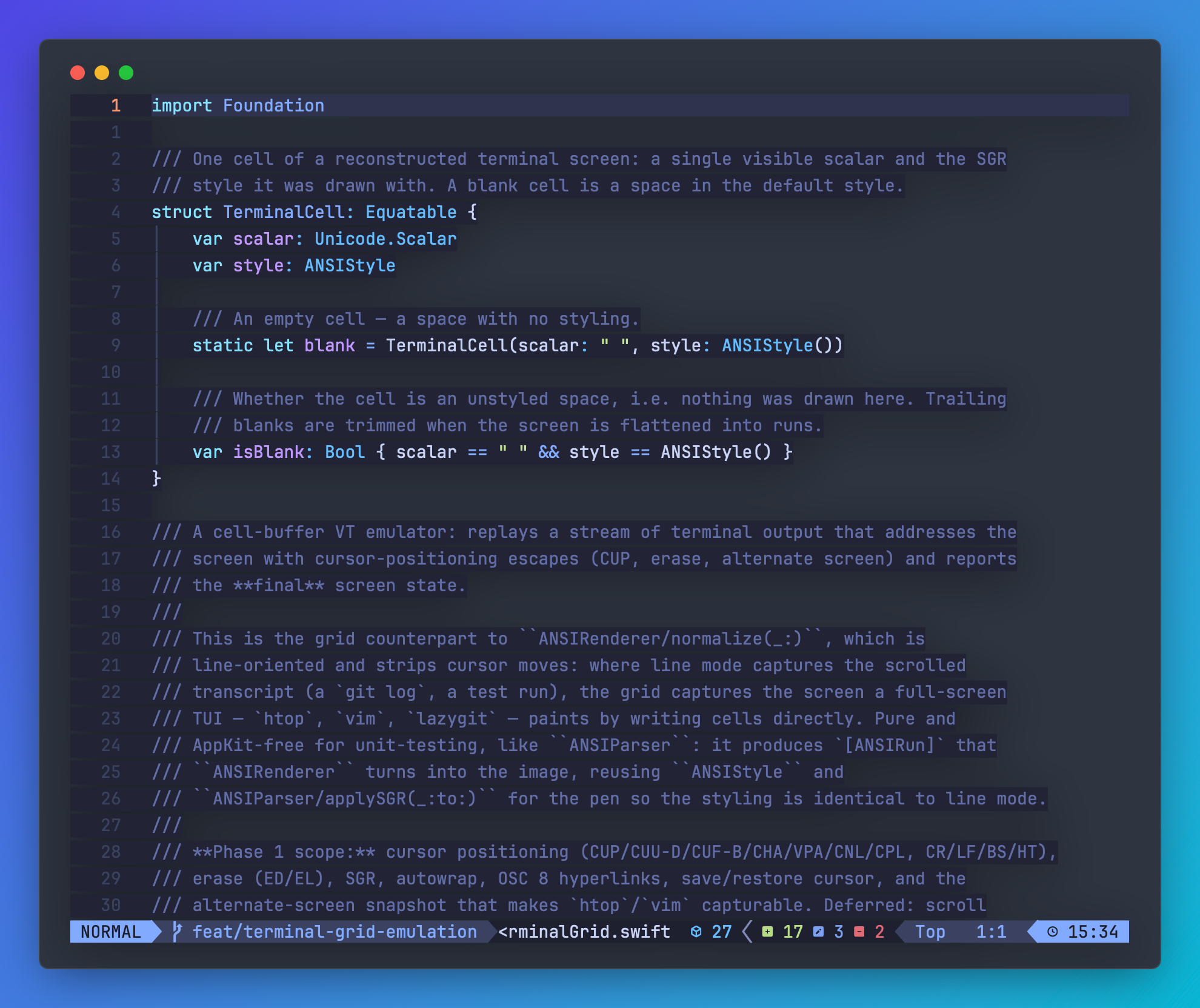
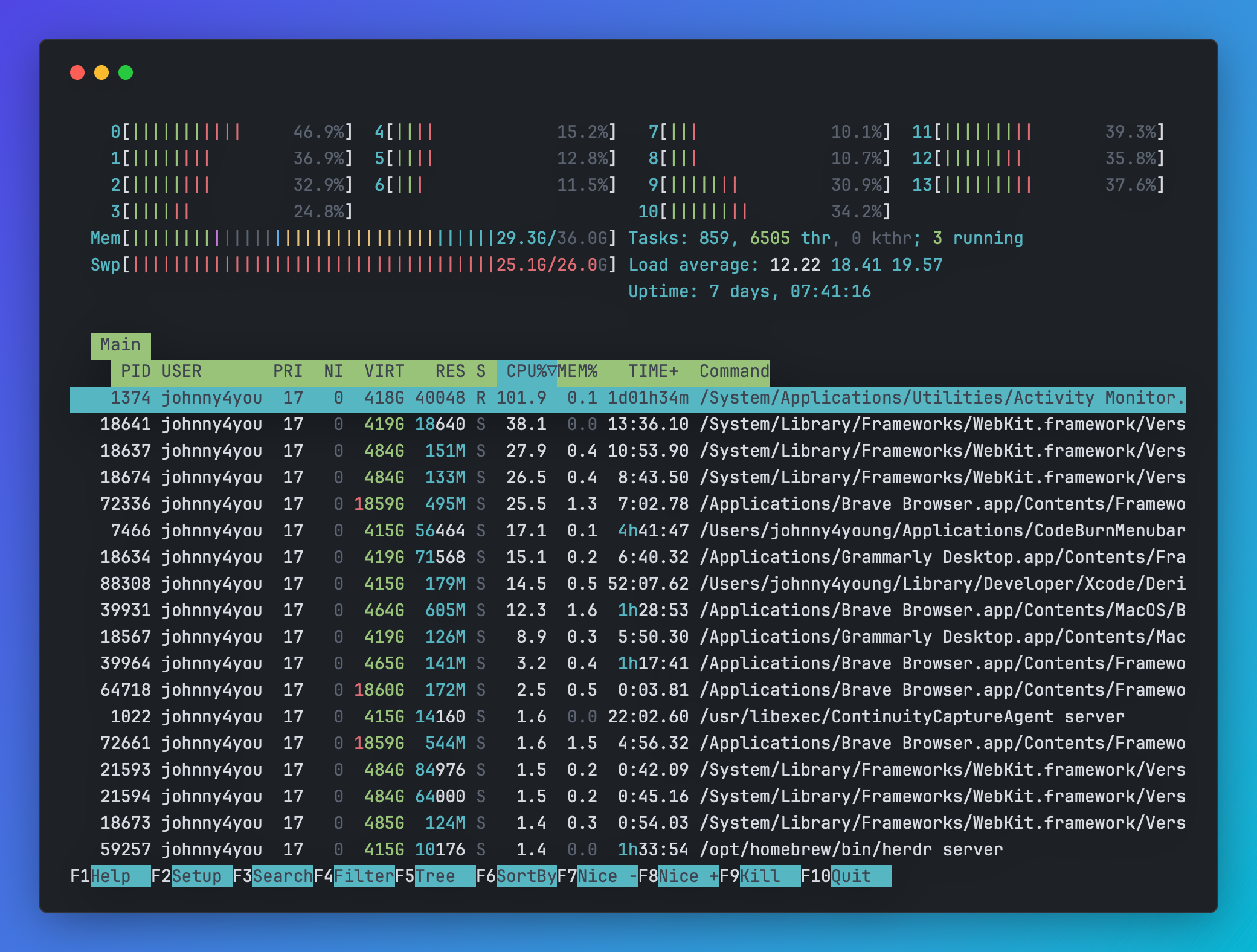
Paste or vgrab colored terminal output — and now full-screen apps like htop, lazygit, and Neovim too. Vitrine reconstructs the final screen, every cursor move and color, in your theme.

htop's system monitor reconstructed as a Vitrine image — CPU and memory meters, the process table, and the function-key bar
htop · One Dark
The lazygit multi-panel git dashboard reconstructed as a Vitrine image
lazygit · Dracula
A Neovim editing session reconstructed as a Vitrine image with syntax highlighting
nvim · Nord
Changelog

What's new

Pulled live from the project's CHANGELOG.md — always current, nothing to maintain.

Loading the latest release notes…

Vitrine PRO

Go PRO when you need more.

Free and open source, forever. PRO is an optional one-time license — no subscription. The free tier loses nothing: no watermark, no resolution cap, no nags.

$19.99$25Early bird · 2026 only

Regular price is $25. Through 2026 it's $19.99 as an early-bird launch price — no code needed.

  • Brand Kit — your logo, handle, and accent as a watermark on every export
  • Multi-size one-pass export — every platform size into a folder in one go
  • Automation — the vitrine CLI, Shortcuts, and folder batch rendering

Pay once, then activate in the app with the license key you receive by email.

Install

Two commands away.

Install with Homebrew, or grab the signed, notarized DMG. Either way, the vitrine CLI lands on your PATH.

$ brew install --cask johnny4young/tap/vitrine